
Workflow approvals in Oracle Fusion are controlled through Approval Management and BPM Worklist, where you define who must approve which transactions.
Approval workflows are human workflows that route a task (like Hire, Promotion, Absence, or Journal Approval) through one or more approvers based on rules you configure.
Approvals in Fusion can be serial, parallel, or FYI only, and can derive approvers from supervisory hierarchy, position hierarchy, roles, or approval groups. You manage these through tasks like “Manage Approval Transactions for Human Capital Management” or equivalent tasks in other modules, and through BPM Worklist for advanced configuration.
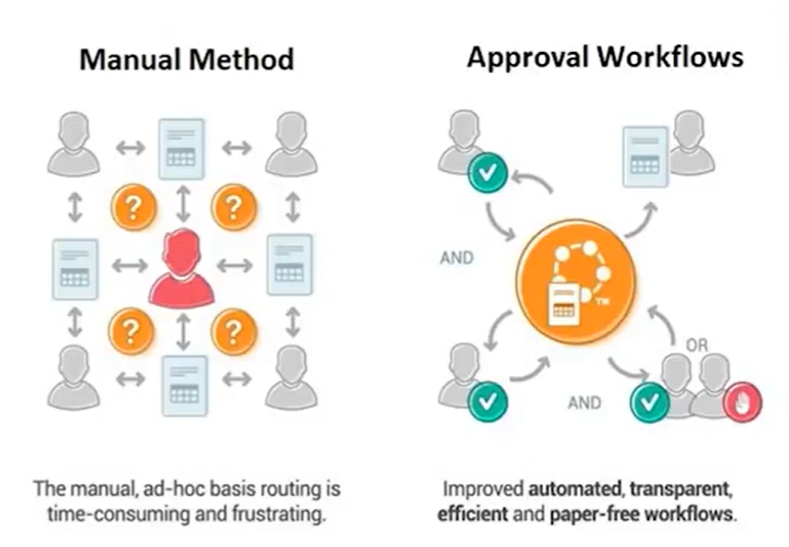
Approval Workflow is an automated process that passes transaction from a user or a group of users for the review or action. For example, a promotion request for a worker may require approval from two levels of the manager hierarchy above the task committed. In Oracle Fusion HCM, the task for users come up in the work list notifications and approval region
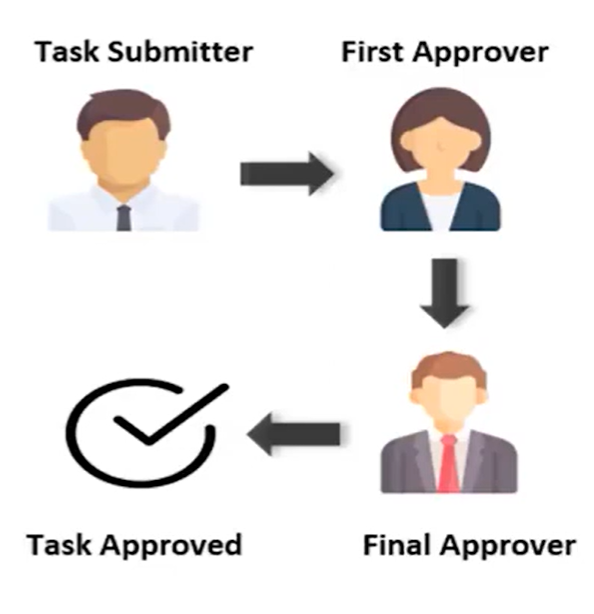
TRANSACTION FLOW:
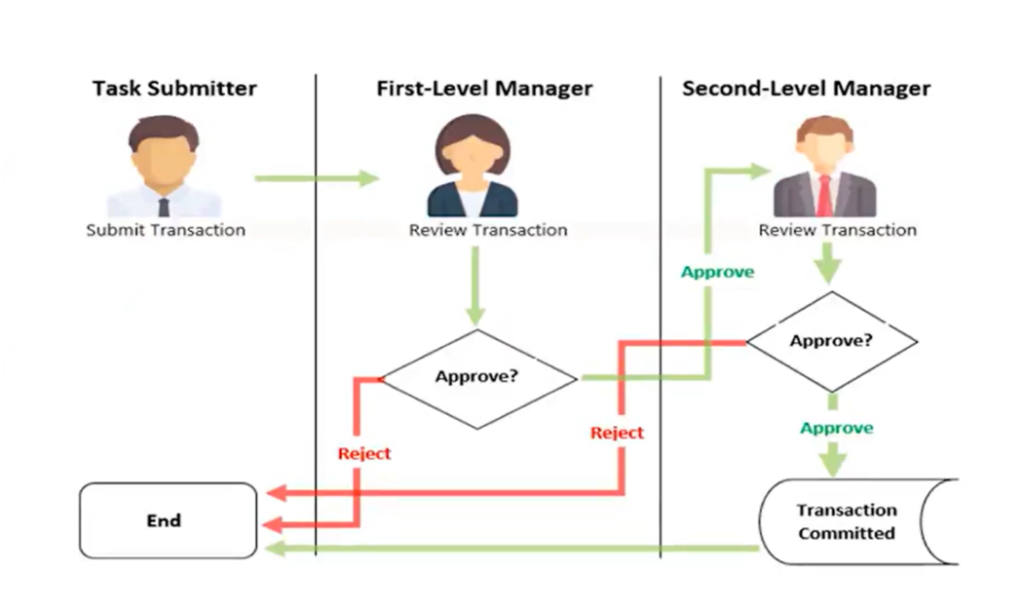
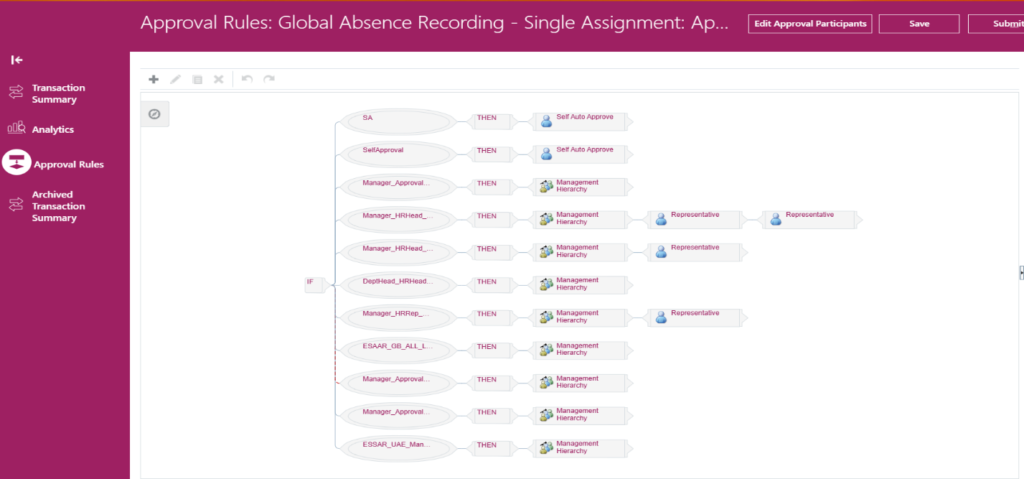
When a transaction is submitted, the information is routed automatically to the worklist of the first level manager. The information is further routed to worklist of the second level manager if the 1st level manager approves it. The information finally is committed to the database table after the 2nd level manager approves and the transaction ends here. Depending on the access granted, either of the respective approvers may edit the transaction at any time.
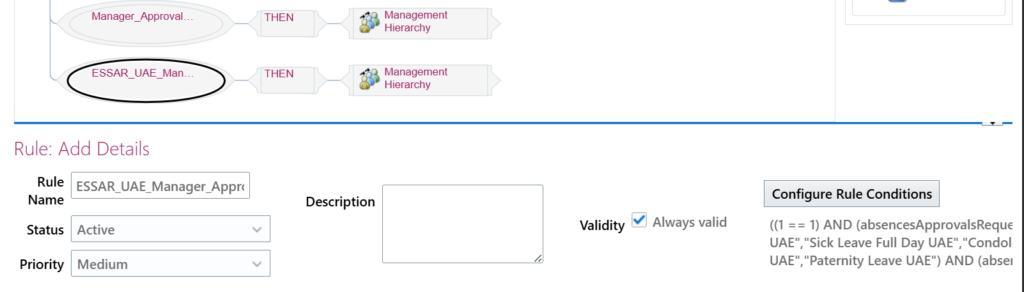
The approval flow and set of rules can be viewed and modified from the Approval Rules tab inside the Tools->Transaction History navigation
APPROVER TYPES:
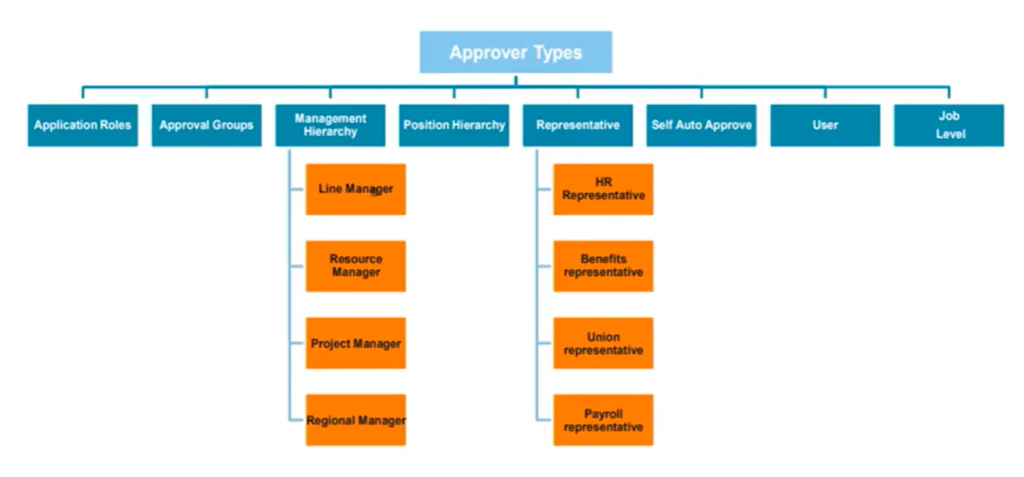
An approver type is a workflow directory services originating system that defines entities which can receive workflow notifications requesting approver. For example, the HR application defines its set of employees as a directory services originating system, so an HR employee can be an approver.
Explaining the approver types in details:
- Application Roles – Approvers are determined by a security role, such as HR Specialist or Payroll Manager or Payroll Manager. Any user who holds that role can receive and act on the approval task, regardless of hierarchy.
- Approval Groups – Approvers are a predefined group (for example, “Finance Approvers”) configured centrally. The task is routed to the group, and members share responsibility according to the group’s assignment rules.
- Management Hierarchy – The approval goes up a person’s line-management chain (Line Manager, Resource Manager, Project Manager, Regional Manager, etc.). You typically specify how many levels to traverse or stop when a condition (such as grade or job level) is met.
- Position Hierarchy – Routing is based on the position structure instead of the person’s reporting line. The workflow follows the position hierarchy (for example, from Analyst position up to Manager and Director positions) to find approvers.
- Representative – The transaction is sent to a designated representative, such as:
- HR Representative
- Benefits Representative
- Union Representative
- Payroll Representative
These are specialist roles responsible for reviewing specific types of transactions.
- Self-Auto Approve – The request is automatically approved without going to another person. This is used when policy allows self-service actions with no additional authorization needed.
- User – The approver is a specific named user (for example, a particular director or administrator). You use this when approval must always go to the same individual rather than a role or hierarchy.
- Job Level – The workflow looks up approvers based on job level or grade (for example, all approvers must be at least Level 5). It climbs the organization until someone with the required job level is found and assigns the task to that person.
ORACLE BPM WORKLIST
Business Process Management (BPM) Worklist is a highly extensible approval rules engine. We can design the business approval processes and enable business users to access and act on the tasks assigned to them. This is an integrated tool available in Oracle Fusion to design and maintain approval rules as per the business needs. For example, from a worklist a loan agent can review the loan applications or the manager can approve the employee’s vacation request, the administrator can use the BPM Worklist to review and to configure the approval policies for the HCM tasks.
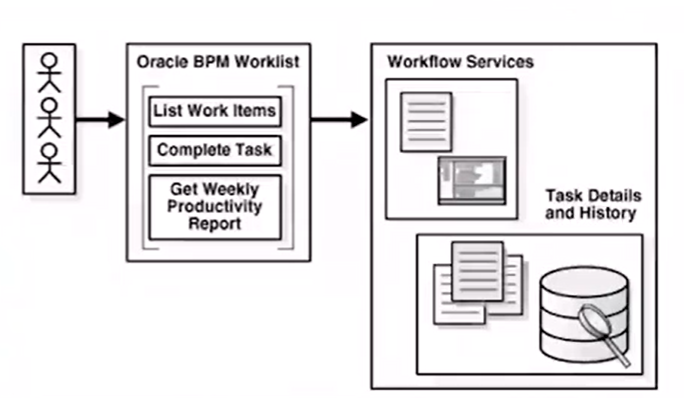
BPM Worklist can be used to configure some approval details like when to issue that toggle notification, who can access the task content, what actions are available.
Navigate through the global search:

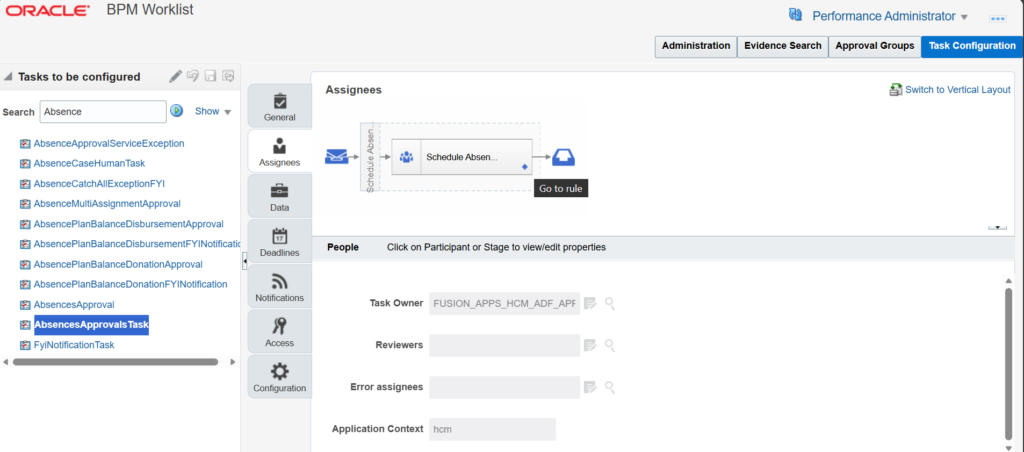
By clicking upon the Assignee tab, we can view and modify the actual rules associated with the transaction and also, we can define the set of rules for each route within the approval setup. An approval rule in a ruleset consists of rule name, condition, list builder, list builder specific attribute, response tab and auto-action.
Let’s understand each functionality:
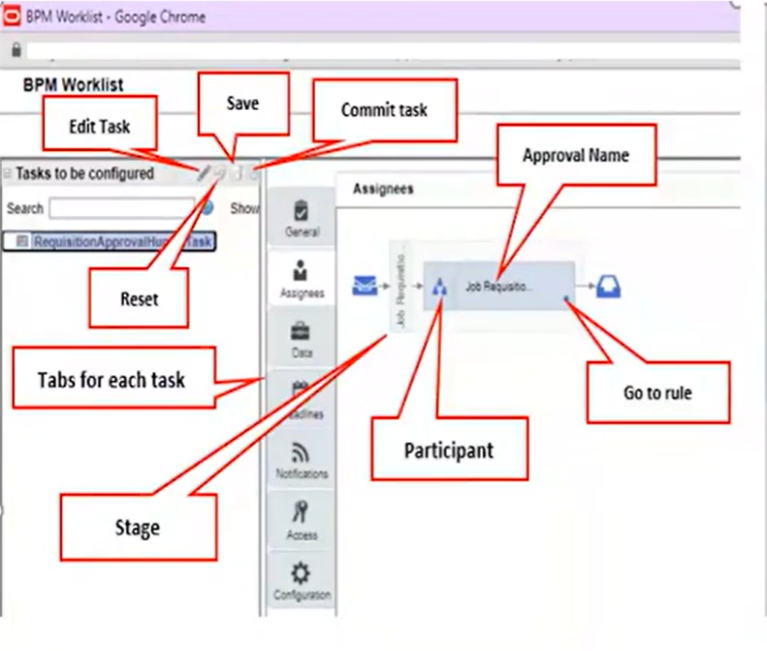
In the “Task to be configured” pane, we can edit, reset, save and commit any task. The outermost boxes in the diagram are stage, it is one of the building block of the human workflow, each task has at least one stage so it organizes the approval flows in the logical categories within the task. We can have one or more stages in the sequence or in parallel order within a task. Each box within a stage is a participant, we can have one or more participants parallely or sequentially. Each participant has an icon “goto rule” that you can click to open the rule set of that particular participant
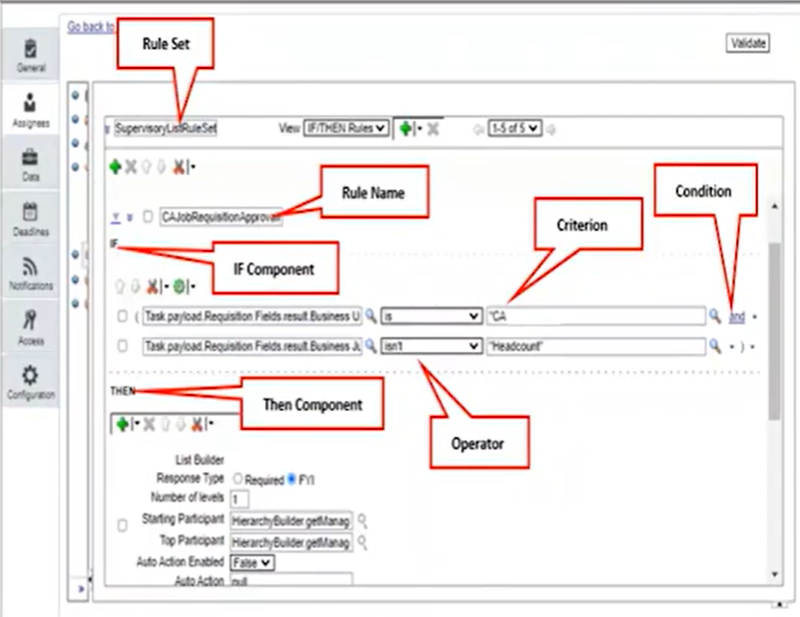
The Rule Set section where you can select a rule set to work upon or create a new rule set. Each rule consist of IF and THEN sections, in the IF block we define the condition for each rule and each line in this section is called “test”. In the THEN block we define what happens if the conditions are true