From Responsive UI to a modern, AI-first HCM experience
Oracle Redwood represents Oracle’s next-generation user experience (UX) framework and design system across its Cloud Applications suite. For Oracle Fusion HCM Cloud, Redwood marks a significant transition from classic and responsive interfaces toward a unified, consumer-grade and increasingly AI-first experience.
Recent moves from Responsive UI to Redwood, including migrations we have supported for a couple of eminent cloud customers, show how much difference this shift makes. New ways of thinking about the relationship between people, processes, data, and technology are emerging as a direct result.
What is Oracle Redwood Experience?
Redwood is much more than a visual refresh or a new UI skin. It is a broader redesign built using Oracle JET (JavaScript Extension Toolkit) and configured through Visual Builder Studio (VBS). HCM pages are being rebuilt around modern interaction patterns rather than simply restyled.
Evolution
The evolution can be viewed as:
Classic UI → Responsive UI → Redwood UX → AI-driven HCM
Responsive UI primarily focused on making existing HCM functionality accessible across devices. Redwood takes a broader approach: it emphasizes a modern, consistent and intelligent experience, with redesigned pages delivered through technologies such as Visual Builder Studio.
The Redwood Design Philosophy
- Consumer-grade experience: clean layouts, fewer clicks, modern data presentation and mobile-first responsiveness.
- Embedded intelligence: AI capabilities increasingly woven into HR workflows.
- Search-led interaction: Oracle Search helps users locate tasks, profiles and actions quickly.
- Actionable nudges and Journeys: guided cards and notifications prompt employees and managers to take timely actions.
In practical terms, Redwood changes the question from “Which page do I need?” to “What do I need to accomplish?” That shift is central to the future HCM experience.
Redwood vs. Responsive: Why the Change Matters
The business value of Redwood becomes clearer when the traditional responsive experience is compared with the newer Redwood approach.
| Area | Responsive | Redwood & Business Benefit |
| User experience | Traditional Fusion UI | Modern, simplified experience; less training |
| Navigation | More fields and options visible | Focus on important actions; faster HR tasks |
| Employee self-service | May require several clicks | More guided and intuitive; fewer help-desk requests |
| Manager experience | Functional but can be complex | More task-oriented; faster approvals/actions |
| Mobile experience | Varies by page | Modern responsive patterns; better mobile/tablet accessibility |
| Personalization | More configuration-oriented | More contextual; information relevant to the user’s role |
| Consistency | Pages may look different | Common Redwood design language; easier adoption |
| AI capabilities | Limited or context dependent | Stronger foundation for contextual AI experiences |
| Business efficiency | More navigation/manual steps | Streamlined journeys/actions; lower transaction time |
| Future readiness | Legacy experience | Oracle’s strategic UX direction |
Why Redwood Matters for HCM
Redwood changes how employees, managers and HR administrators interact with HCM. Instead of navigating through multiple pages to complete an HR transaction, the experience increasingly emphasizes search, contextual actions and simplified task completion.
Oracle’s new Home with Ask Oracle experience is intended to let users search for tasks, applications and information and receive intelligent suggestions. This creates a more natural path from intent to action.
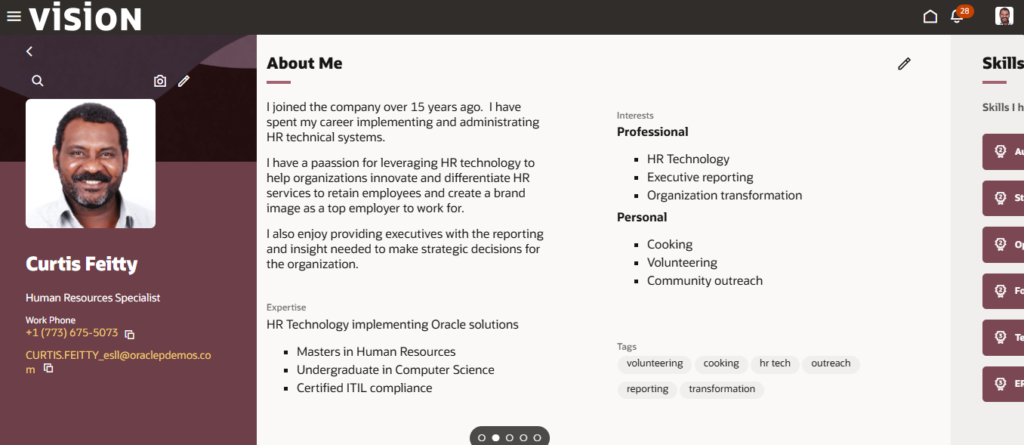
A glimpse of Redwood Pages
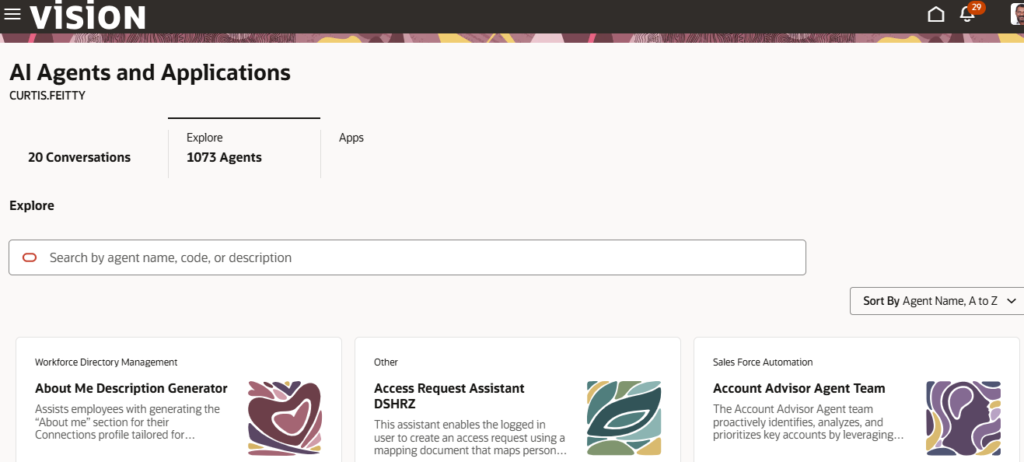
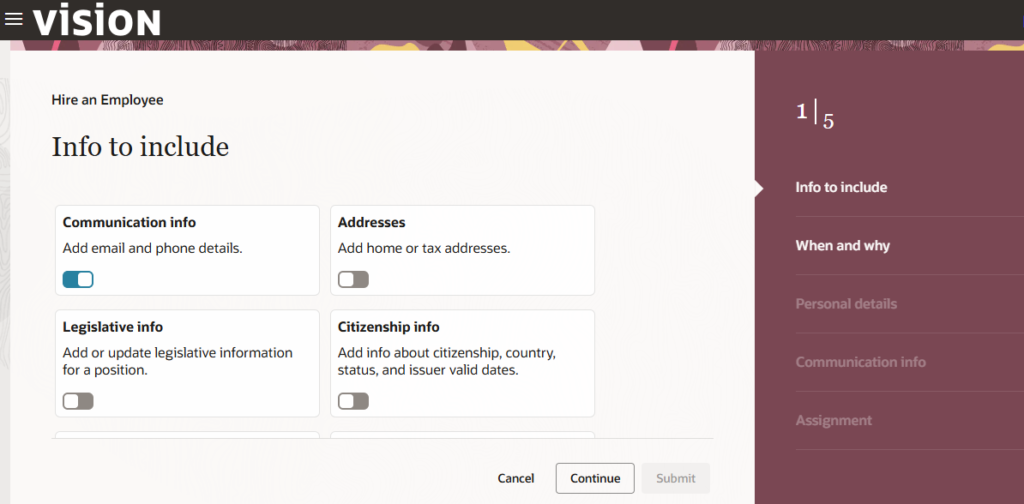
Key Tools for Redwood Adoption
HCM Personalization Helper Tool: Helps identify existing page personalization’s and sandboxes and supports migration of supported configurations and Autocomplete rules to Redwood Business Rules.
Visual Builder Studio (VBS): The primary low-code environment used to extend Redwood pages, customize UI layouts and create tailored workflows without changing underlying upgrade-safe code.
Redwood Adoption Center: Provides administrative dashboards to track enabled Redwood profile options and measure page-by-page readiness across modules.
A Practical Adoption Strategy
1. Enable prerequisites first: Ensure Oracle Search profile options and required scheduled processes are active, because many Redwood pages depend on ingested search data.
2. Audit personalization early: Review Page Composer setups, sandbox customizations and custom security roles using the available personalization tools.
3. Phase cutovers by module: Start with high-volume, lower-complexity areas such as Employee Self-Service, Goals and Learning before moving to more complex administrative workflows.
4. Update custom security roles: Review legacy roles for Redwood-specific aggregates, privileges and REST service access to avoid access or blank-screen issues.
The Bigger Picture
Redwood is not simply a new look for Oracle HCM Cloud. It represents a new way of thinking about the relationship between people, processes, data, and technology. As Redwood adoption expands, organizations should think about experience design, guided journeys, search, personalization, security, extensibility and AI together – not as separate initiatives.
Oracle continues to introduce additional Redwood pages and flows through ongoing releases.
Redwood is the bridge between transaction-focused HCM to a more Guided, Contextual and intelligent employee experience.
What next?
Redwood, and the AI-driven processes it enables, are becoming the new baseline for HCM. Get in touch if you are exploring what that transition could look like for your organization.