Skip to content
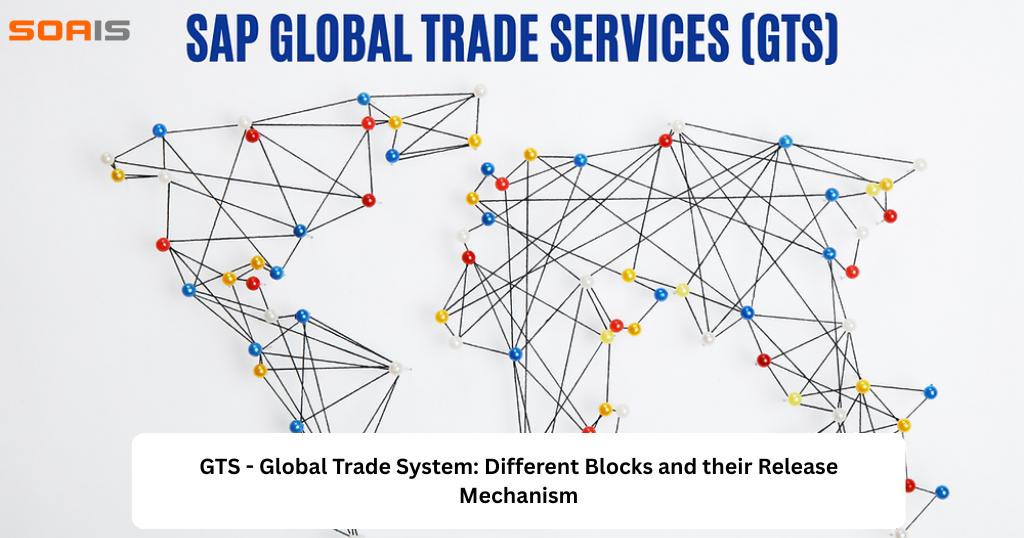
Global Trade System is a software used by modern Supply Chain Management (SCM), especially for companies that have large import or export operations globally.
This system helps companies in smooth transaction of their products without any legal issues, proper customs security and Trade licenses. It plays a key role in keeping the company compliant with Government regulations.
SAP GTS, is divided into four main parts:
Compliance Management- It Screens business partners against Embargo Nations or Sanctioned Party List Companies (SPL).
Customs Management- Handles all the customs related documentation and Declaration so that a product is moved smoothly into the country.
Preference Management- Checks and helps in Qualifying for Free Trade Agreements(FTA) for particular goods / products which helps in reducing taxes and tariffs.
Letter of Credit- This ensures guaranteed payments and lesser financial risks.
Different GTS Blocks and ways to Release them while automation.
While doing automation and functional testing in QA or DEV environment, we many times run into different GTS Blocks. Let’s discuss different blocks, their meaning and how to release the blocks.
Embargo Blocks- It is a hard block in SAP. It means the Country to which we are trying to trade has been forbidden by Government for Trade. If we get this kind of block we can analyse, but to release this block we will need to have a proper reason code and wait for an approval from the company audit as well as the Government audit Team. Company has ways to manage exception in case of any ‘false-negatives’.
SO Blocked in ECC

Document shows Blocked in GTS

Sanctioned Party List (SPL) – This means any particular trade partner, person or organisation has been barred by your company to trade with. An organisation keeps a list of blacklisted Trade partners. A check is done when New or Old Customers, Vendors as well as Sales Orders, PO, STO’s are created or changed.
If we get any Sales Order Document or Purchase Order Document blocked in ECC with SPL Block we have to do the following steps.
SO Blocked in ECC

Log in to the GTS System and SAP GTS Area Menu -> Sanctioned Party List Screening
Click on Manually Release Blocked Documents

Find your Document and click on the Release Flag Button

Confirm your answer

Give a Reason code for the Audit Team to check Further


You will get a message as block has been released.

Log File to see the activity

You try to find your document number again; the document could not be found in GTS anymore and hence the block is released and will reflect in ECC too.

Legal Control Block
Legal Regulation allows different teams within the Organization to Control Products based on Type of Controls / Products / Batch / Countries / Vendors / Quantity. It actually defines the Legal Laws which applies to your specific transaction.
This block will not let you to Create Delivery until you clear the Legal Documents.
You can correct the reasons for blocking by updating the control data or entering additional licenses. When you re-check the documents or payments for that case, the system removes the blocks.
Few common types of Legal Regulation
- ZREG – IVD Products (In Vitro Diagnostic)
- ZRAD/ZRAI – Radioactive Materials
- ZANM – Animal Health Certificate
- CWC- Chemical Weapons Convention
Release the Legal Control Block
SO Blocked in ECC

Log in to the GTS System and SAP GTS Area Menu -> Legal Control – Import/Export

Click on Display Blocked Documents

Enter SO in Feeder System Area

Verify if Legal number is present

Also Note the Legal Regulation

Press Display Log
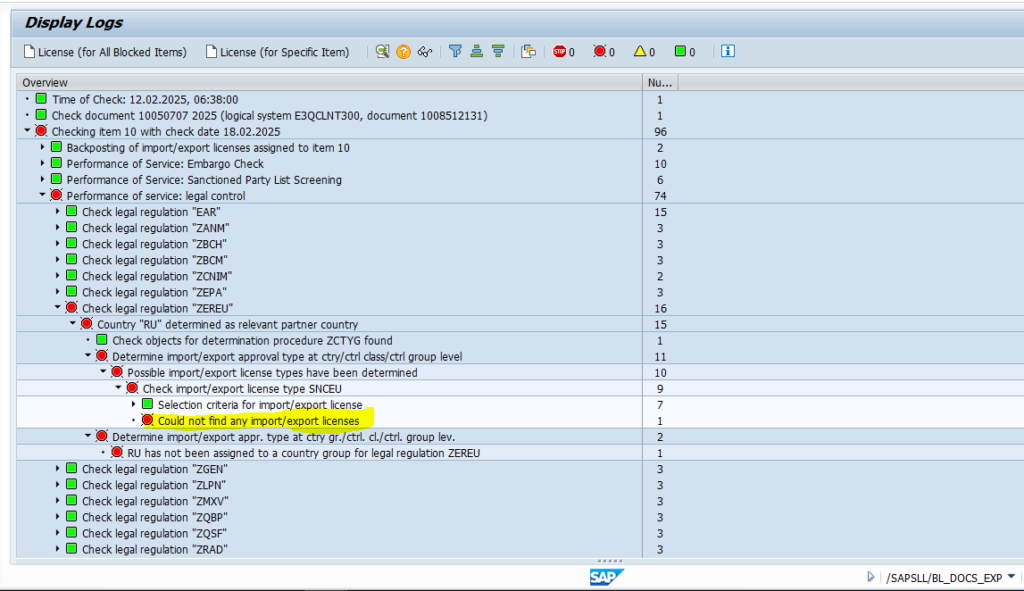
Expand the Error till the Last Message
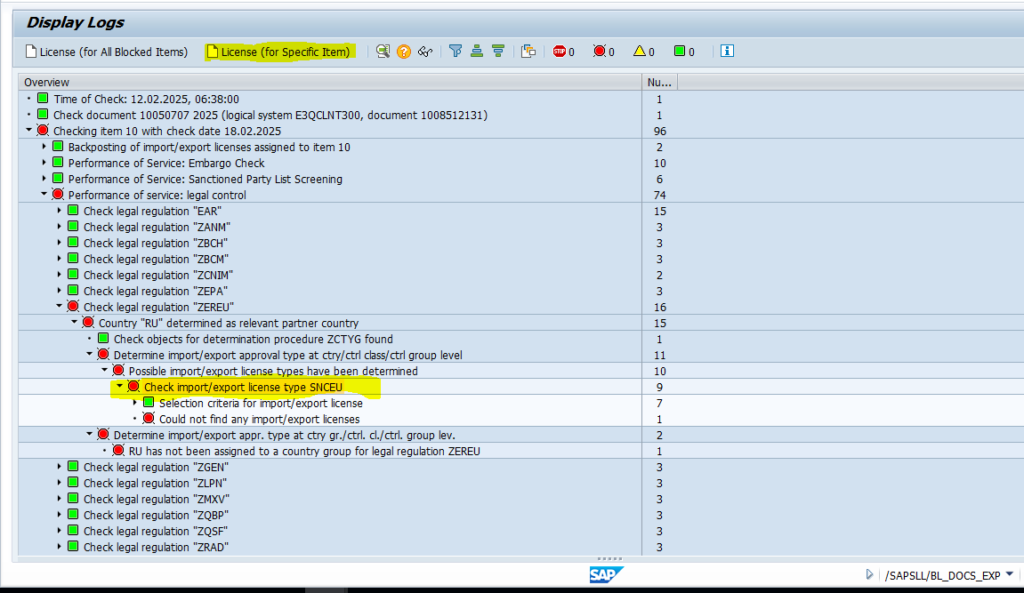
Select the License Type and Click on License (for Specific Item) Button


All details should pick up automatically. We need to enter the External Number as Free Text, Valid From (past date) and Valid To (future date after Delivery date) and Select Active License radio button and Press Save.

License is activated. Log is free of error.

Press Yes.

It will be removed from Blocked Document.